
Using Lockit
Alerts and takeovers
What to do when the resource you need is already locked.
When you try to lock something that's taken, Lockit shows who holds it and when their lock ends. Below that are two buttons.
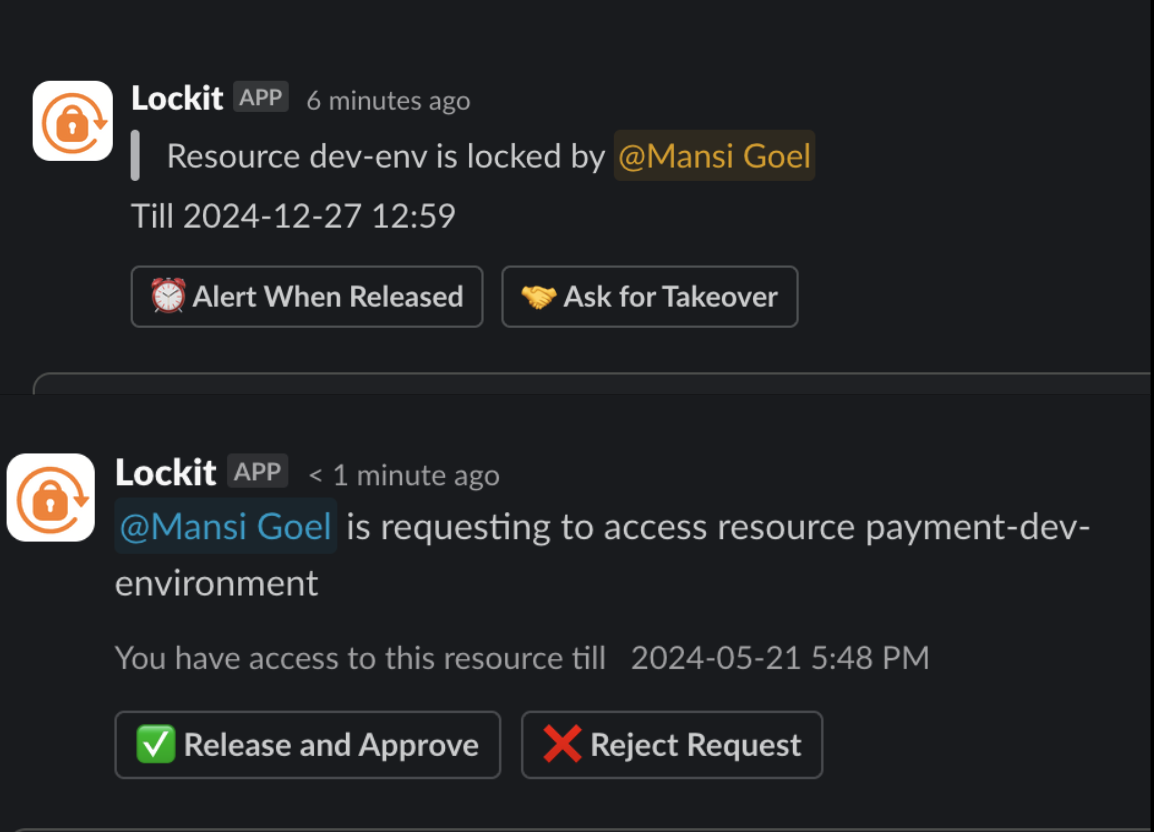
Alert When Released
Click Alert When Released and Lockit messages you as soon as the resource is released. You don't need to keep checking.
Ask for Takeover
Click Ask for Takeover when you can't wait. Lockit sends the holder a request naming you, with two buttons:
- Release and Approve: the holder agrees to hand it over.
- Reject Request: the holder keeps it.
What happens after approval depends on where you use Lockit:
| Platform | When the holder approves |
|---|---|
| Slack | The resource is released. Lock it yourself to take it. |
| Discord, Microsoft Teams | The resource is locked straight to you. |
On Slack, someone else could lock the resource between the approval and your lock. If that matters, lock it as soon as you see it's released.